Kang Coon (แกงคูน)
- junlachaktophat
- Mar 4, 2025
- 2 min read

Updated: Mar 29
You can check the project at: GitLab Repository.
Game Overview
Kang Coon (แกงคูน) is an endless mobile game with a food theme. It is designed to educate players about cooking. The game focuses on preparing "Kang Coon", a traditional curry dish. Using real-world ingredients. Players must collect, prepare, and cook the correct ingredients while managing time and obstacles.
The ingredients used in the game are based on those required to make an authentic Kang Coon curry, offering a fun and interactive way to learn about cooking.
My Role
Gameplay Programmer
Development Team
Naplab Game Studio
Core Systems Overview
Game Loop
The project uses an Addressables system to load assets, specifically prefabs (bubbles and ingredients). Three types of bubbles are loaded: good bubbles, bad bubbles, and large bubbles. Ingredients are sorted by weight (weight is randomly generated).
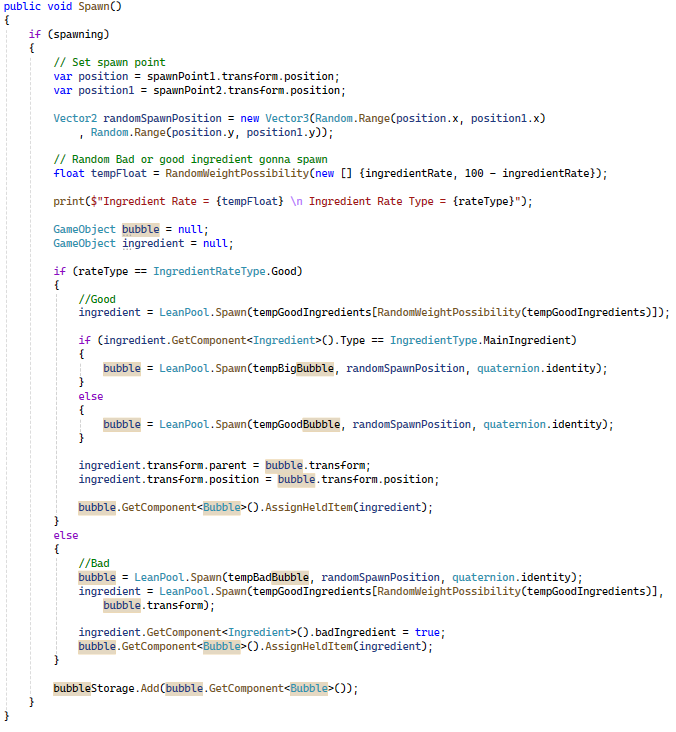
In the weight generation, it is not 50/50; it is based on the weight setting in the component ingredient. For example, if an apple weighs 80 and gold weighs 20, the chance of getting an apple is much higher.
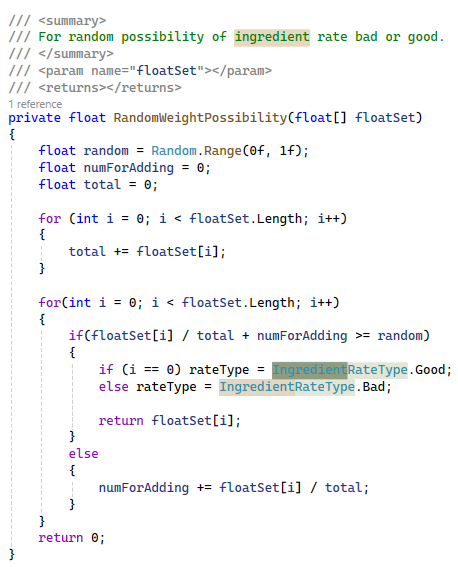
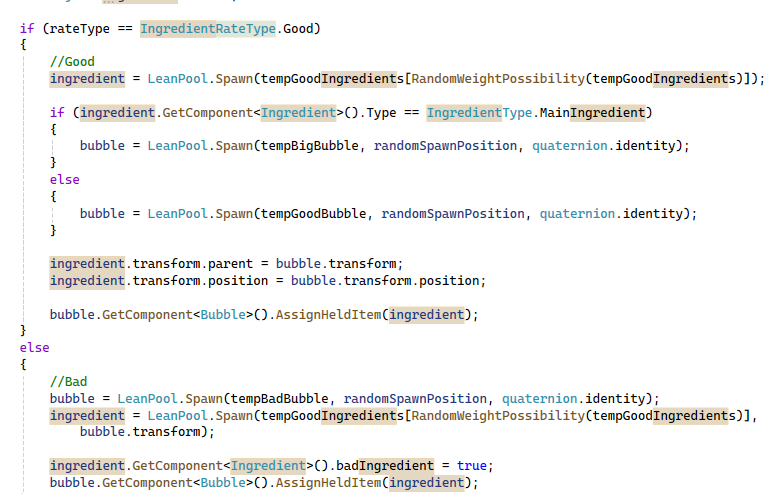
Nevertheless, each time the spawn function is called, the system determines the location, randomly spawns the ingredient, and decides whether it is good or bad (based on the ingredientRate slider). If it is good, it calls good ingredients. If it is a primary ingredient, it uses a large bubble. Object Pooling is also used instead of instantiating to conserve system resources.
AdMob
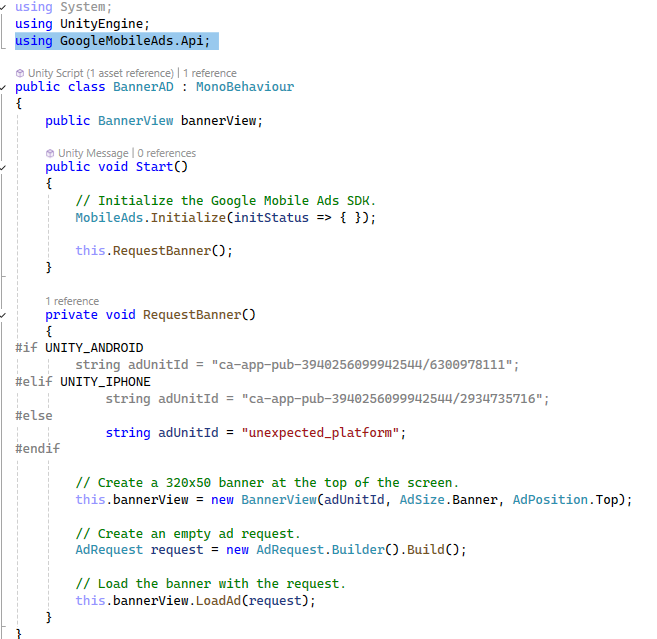
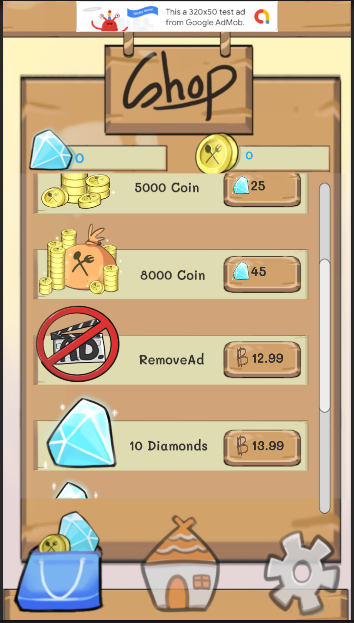
This project utilizes AdMob to learn about monetizing video games. There are two types of AdMob advertising. Firstly, the banner ads are displayed at the top center of the game, and the second is currency, called diamonds, used for in-game purchases. Players who want to make in-game purchases must buy diamonds, which can then be used to acquire various items, such as special abilities.
Doozy UI
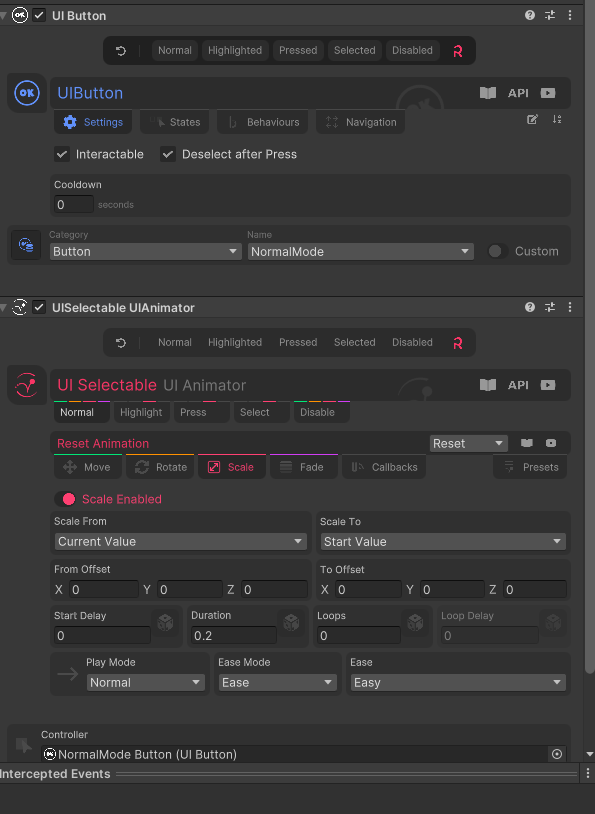
This project used a third-party tool called Doozy UI to help with the game's UI. This tool was very helpful because some features, such as animations, did not need to be coded in; they could be adjusted directly in the inspector. This made it easier to explain to the designers what was possible and what was not, compared to explaining it in code.

Tools Used:
Unity 2021.2+
GitLab
Sourcetree
Comments